Hardware & DeploymentConnecting existing cameras and video systems
Camera and VMS Integration
Most projects start with cameras that are already installed. Camera and VMS integration covers how Edge AI receives their video — standard streams, video management systems, recorders — and how results flow back as events, overlays or bookmarks without disrupting existing security and operations workflows.
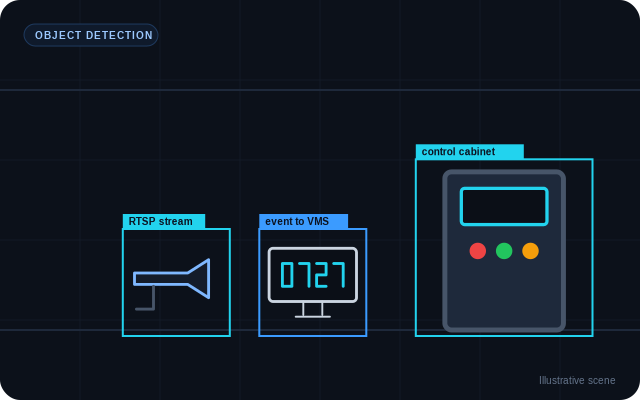
Deployment arrangements
- Direct camera streams. The Edge device pulls standard video streams directly from cameras on the local network.
- Through the VMS or recorder. Video is taken from an existing recorder or VMS, and analytics results are sent back as events or bookmarks.
- Results to operations systems. Events flow to dashboards, maintenance, production or alarm systems through agreed interfaces.
Why it matters
Reuse installed cameras
Analytics are added to existing cameras where their position and image quality fit the use case.
Keep familiar workflows
Operators see results in the tools they already use, where integrations allow.
Standards first
Standard streaming and control protocols are preferred over proprietary links.
Starting from what exists
Customers rarely want to replace working camera systems. Integration means taking video from cameras or recorders already in place, analyzing it at the edge and returning results where people work.
Getting video in
Standard streaming protocols and device discovery standards are the usual starting points. Where a VMS or recorder sits in between, video can be taken from it instead of directly from the cameras.
Getting results out
Events, snapshots and metadata are delivered to the systems that act on them — a VMS, a production system, a maintenance tool or a dashboard — through interfaces agreed during the project.
Edge and Cloud: practical trade-offs
Neither option is better in every respect. The right balance depends on the latency, connectivity, data and cost requirements of the project.
| Factor | Processing at the Edge | Processing in the Cloud |
|---|---|---|
| Stream source | Direct streams give lowest latency and full control of resolution. | Cloud-recorded footage adds latency and depends on upload bandwidth. |
| Network load | Streams stay on the site network; only events leave. | Continuous upload of video consumes significant bandwidth. |
Limitations & scope
- Compatibility with a specific camera, recorder or VMS is verified per project; EdgeTech does not claim blanket support.
- Existing cameras are sometimes poorly placed or compressed too strongly for reliable analytics.
- Integrating events into third-party systems may depend on licenses or APIs controlled by their vendors.
Proof of Concept
Have a visual AI challenge? Let's prove it.
Share a video of what happens in your environment and describe the outcome you need. We review every request for technical feasibility, then agree the scope of a focused Proof of Concept (PoC) with you.
Example request: “We want to run analytics on streams from our existing recorder and see alerts as bookmarks in our VMS.”
Every request is reviewed for technical feasibility. PoC scope, timing and terms are agreed individually.
Frequently asked questions
Do we need new cameras?
Often not. Existing cameras are assessed for angle, resolution and lighting during the PoC; new cameras are recommended only where needed.
Can results appear in our VMS?
Where the VMS offers an event or metadata interface, analytics results can be sent to it. This is checked for your specific system.
Related topics
How this page connects to industries, use cases, AI tasks, input sources and deployment options.