Use CaseSurface defects on wafers and dies
Wafer Defect Classification
Group and classify visible defects on wafers and dies — particles, scratches, pattern defects — to support yield analysis and faster root-cause investigation.
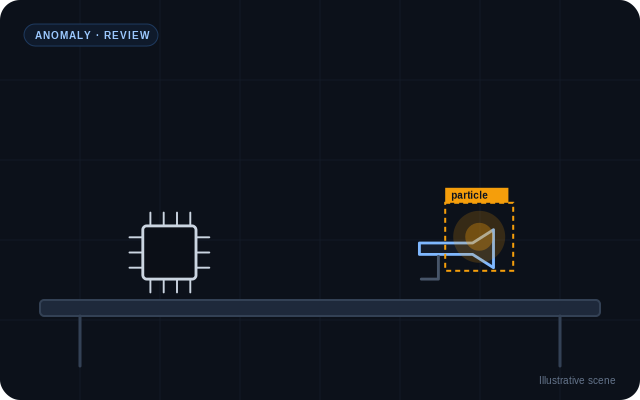
What can be checked
- Particles and contamination
- Scratches and handling damage
- Pattern or edge defects
What the team receives
- Defect class per image
- Defect maps and statistics per lot
What the solution does
Faster classification
Pre-classifies defect images from inspection tools, reducing the number of images engineers need to review manually.
Consistent taxonomy
Applies the same classes across tools and shifts.
Yield insight
Supports correlation of defects with process steps.
The operational problem
Inspection tools generate large numbers of defect images that engineers classify manually. Classification delays slow down root-cause analysis.
How visual intelligence helps
A model trained on the fab’s own taxonomy classifies defect images automatically and highlights unknown cases for engineers.
Example visual workflow
- Defect images are exported from inspection tools.
- Each image is classified into the fab’s defect taxonomy.
- Results are aggregated into maps per wafer and lot.
- Engineers review trends and unclassified cases.
Illustrative workflow — the actual pipeline is designed for each site during the PoC.
Edge deployment considerations
Fabs usually require on-premises processing. Models run on servers within the fab network, close to inspection tool data.
How the solution is built
AI capabilities
The AI tasks this use case combines.
- Image and Object Classification
Classification assigns a label to a whole image or to an individual object crop — good or defective, running or stopped, product variant A or B.
- Visual Anomaly Detection
Visual anomaly detection learns what normal looks like and flags images, regions or events that deviate from it.
Visual inputs
Cameras and imaging that typically supply the video.
- Industrial and Machine Vision Cameras
Industrial and machine vision cameras capture sharp, consistent images at fixed positions with controlled lighting and triggering.
Deployment options
General approaches to evaluate, not tested hardware. Specific hardware is selected and validated for each project during the PoC.
- Edge AI Hardware Sizing
Sizing Edge AI hardware means matching compute, memory, power and enclosure to the real workload — the number of streams, resolution, frame rate, models and latency targets — under the site's environmental and installation constraints.
- Edge Deployment Architectures
Edge-first means processing video at or near where it is captured.
- Industrial and Ruggedized Edge AI Computers
Industrial Edge AI computers and ruggedized systems house AI-capable processors in enclosures built for factories, vehicles and outdoor sites — wide temperature ranges, vibration, dust and industrial power.
Practical factors to plan for
Real-world results depend as much on the environment and camera setup as on the model.
Site and setup
- Image source. Uses images from existing inspection or review tools.
- Class taxonomy. Defect classes must match the fab's own taxonomy.
Human review
Yield and process engineers review classifications and decide on corrective actions.
Limitations & scope
- Requires access to inspection tool images and lot data.
- New defect types require additional labeled examples.
Proof of Concept
Have a visual AI challenge? Let's prove it.
Share a video of what happens in your environment and describe the outcome you need. We review every request for technical feasibility, then agree the scope of a focused Proof of Concept (PoC) with you.
Example request: “We want to classify review-station images of wafer defects into our existing eight defect classes.”
Every request is reviewed for technical feasibility. PoC scope, timing and terms are agreed individually.
Related topics
How this page connects to industries, use cases, AI tasks, input sources and deployment options.