Use CaseVisual changes to ATM fascias
ATM Tamper Awareness
Flag visual changes to ATM fascias and surroundings — attached devices, covered cameras, damage — for security team review.
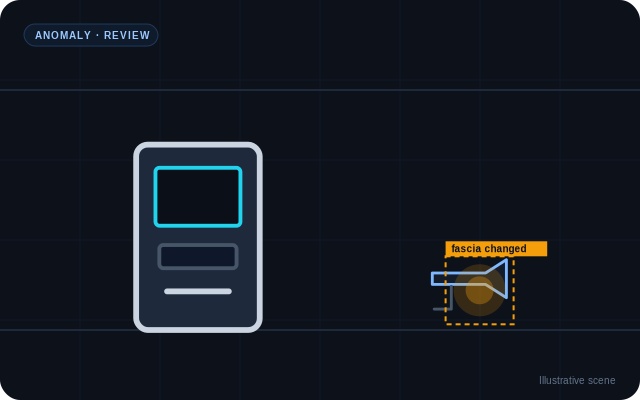
What can be checked
- Objects attached to the fascia
- Covered or blocked cameras
- Visible damage
What the team receives
- Tamper alerts with images
- Event log per ATM
What the solution does
Earlier awareness
Flags visual changes to the ATM soon after they happen rather than after fraud reports.
Remote verification
Sends a snapshot of the detected change, so the operations team can judge whether a technician or a security check is needed.
Local processing
Analyzes video on a device at the branch or ATM, so footage stays local and only event images are shared with the operations team.
The operational problem
ATM tampering, such as attached skimming devices or covered cameras, is often discovered only after fraud occurs and customers are affected.
How visual intelligence helps
Cameras compare current ATM appearance with references and flag changes for review.
Example visual workflow
- A camera views the ATM front.
- The current appearance is compared with the reference.
- Changes are flagged.
- Security staff verify.
Illustrative workflow — the actual pipeline is designed for each site during the PoC.
Edge deployment considerations
Branch Edge devices process video and send only events with snapshots to central security, so footage stays in the branch.
How the solution is built
AI capabilities
The AI tasks this use case combines.
- Object Detection
Object detection finds and labels the objects in an image or video frame and marks each one with a bounding box.
- Visual Anomaly Detection
Visual anomaly detection learns what normal looks like and flags images, regions or events that deviate from it.
Visual inputs
Cameras and imaging that typically supply the video.
- CCTV and Existing Surveillance Systems
Many sites already run CCTV systems — analog cameras, DVRs, NVRs and video management systems.
- IP and Network Cameras
IP cameras stream digital video over standard networks and are the most common source for Edge AI video analytics.
Deployment options
General approaches to evaluate, not tested hardware. Specific hardware is selected and validated for each project during the PoC.
- Camera and VMS Integration
Most projects start with cameras that are already installed.
- Edge AI Hardware Sizing
Sizing Edge AI hardware means matching compute, memory, power and enclosure to the real workload — the number of streams, resolution, frame rate, models and latency targets — under the site's environmental and installation constraints.
- Edge Deployment Architectures
Edge-first means processing video at or near where it is captured.
Practical factors to plan for
Real-world results depend as much on the environment and camera setup as on the model.
Site and setup
- Reference images. Each ATM model needs a reference appearance.
- Lighting changes. Daylight and reflections change appearance.
Human review
Security staff verify alerts before dispatch.
Limitations & scope
- Small or concealed devices remain hard to see.
- Complements other anti-skimming measures.
Proof of Concept
Have a visual AI challenge? Let's prove it.
Share a video of what happens in your environment and describe the outcome you need. We review every request for technical feasibility, then agree the scope of a focused Proof of Concept (PoC) with you.
Example request: “We want alerts when objects are attached to the card reader area of our lobby ATMs.”
Every request is reviewed for technical feasibility. PoC scope, timing and terms are agreed individually.
Related topics
How this page connects to industries, use cases, AI tasks, input sources and deployment options.