Use CaseFalls and bed exits in rooms
Fall Detection in Care Settings
Detect possible falls and unassisted bed exits in care rooms, alerting staff faster while using privacy-preserving processing.
What can be checked
- Possible falls
- Bed exits
- Prolonged lying on the floor
What the team receives
- Alerts to staff
- Event logs
What the solution does
Faster response
Alerts staff quickly after a possible fall.
Night support
Works in low light with depth or thermal sensors.
Privacy-preserving
Processes locally without storing video by default.
The operational problem
Falls in care settings, especially at night, may go unnoticed for long periods, and frequent room checks disturb residents.
How visual intelligence helps
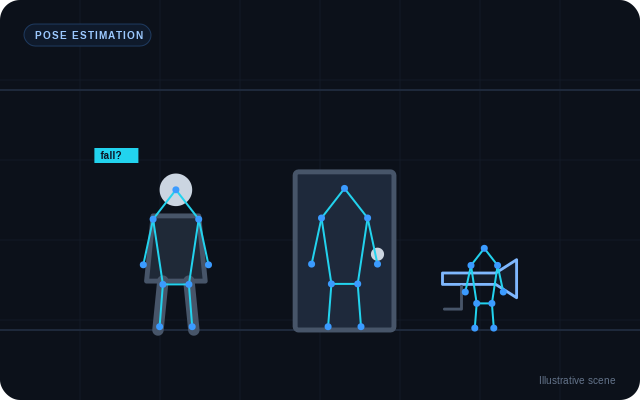
Depth or thermal sensors analyze posture and motion in the room and alert staff when a fall or unassisted bed exit is likely.
Example visual workflow
- A camera or sensor views the room.
- Posture is analyzed.
- Possible falls trigger alerts.
- Staff respond.
Illustrative workflow — the actual pipeline is designed for each site during the PoC.
Edge deployment considerations
Analysis runs on an in-room or ward-level Edge device without storing video by default; only alerts reach the nurse call or care system.
How the solution is built
AI capabilities
The AI tasks this use case combines.
- Action and Activity Recognition
Action recognition identifies short actions — picking, lifting, opening a door — while activity recognition describes longer sequences such as a loading operation or a procedure.
- Pose Estimation
Pose estimation locates keypoints — such as shoulders, elbows, knees or the corners of an object — and connects them into a skeleton or structure.
Visual inputs
Cameras and imaging that typically supply the video.
- Depth, Stereo and 3D Cameras
Depth cameras measure distance to every point in view, using stereo vision, structured light or time-of-flight.
- Thermal and Infrared Cameras
Thermal cameras image heat (long-wave infrared), while near-infrared cameras use invisible illumination to see in darkness.
Deployment options
General approaches to evaluate, not tested hardware. Specific hardware is selected and validated for each project during the PoC.
- Edge AI Hardware Sizing
Sizing Edge AI hardware means matching compute, memory, power and enclosure to the real workload — the number of streams, resolution, frame rate, models and latency targets — under the site's environmental and installation constraints.
- Edge Deployment Architectures
Edge-first means processing video at or near where it is captured.
- Industrial and Ruggedized Edge AI Computers
Industrial Edge AI computers and ruggedized systems house AI-capable processors in enclosures built for factories, vehicles and outdoor sites — wide temperature ranges, vibration, dust and industrial power.
Practical factors to plan for
Real-world results depend as much on the environment and camera setup as on the model.
Site and setup
- Privacy. Processing should not store video by default.
- False alarms. Alerts must be tuned to avoid fatigue.
Human review
Care staff respond to alerts. The system is not a medical device.
Limitations & scope
- Not a medical device.
- Consent and legal review are required.
Proof of Concept
Have a visual AI challenge? Let's prove it.
Share a video of what happens in your environment and describe the outcome you need. We review every request for technical feasibility, then agree the scope of a focused Proof of Concept (PoC) with you.
Example request: “We want fall alerts in 10 rooms of our care home without storing video.”
Every request is reviewed for technical feasibility. PoC scope, timing and terms are agreed individually.
Related topics
How this page connects to industries, use cases, AI tasks, input sources and deployment options.