Use CasePositions and movement from video
Player Tracking
Track player positions over time from fixed or broadcast cameras to produce movement, distance and positional data for coaches and analysts.
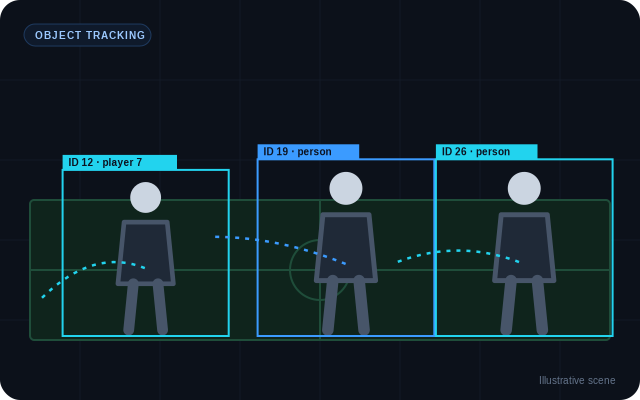
What can be checked
- Players on the field
- Player identity by team and number where visible
- Movement paths
What the team receives
- Position data per player
- Heat maps and distance summaries
What the solution does
Positional data
Provides player positions and movement data from video, without requiring players to wear tracking devices.
Tactical insight
Turns positional data into formations, spacing and pressing patterns that coaches and analysts can review after the match.
Training load
Estimates distances covered and high-intensity runs per player, which supports training-load monitoring alongside other data.
The operational problem
Detailed movement data usually requires wearables or time-consuming manual tagging. Many clubs and academies already record sessions but extract little data from the footage.
How visual intelligence helps
Players are detected and tracked through each session and their positions are mapped to field coordinates. Coaches and analysts get positional data, heat maps and distance summaries from existing cameras.
Example visual workflow
- Cameras capture the field.
- Players are detected and tracked.
- Positions are mapped to field coordinates.
- Data is exported to analysis tools.
Illustrative workflow — the actual pipeline is designed for each site during the PoC.
Edge deployment considerations
Venue Edge computers process video during or after sessions, keeping footage on site. Data exports go to the analysis tools the club already uses.
How the solution is built
AI capabilities
The AI tasks this use case combines.
- Object Detection
Object detection finds and labels the objects in an image or video frame and marks each one with a bounding box.
- Object Tracking and Multi-Object Tracking
Object tracking links detections of the same object across consecutive video frames and assigns each one a persistent ID.
Visual inputs
Cameras and imaging that typically supply the video.
- IP and Network Cameras
IP cameras stream digital video over standard networks and are the most common source for Edge AI video analytics.
Deployment options
General approaches to evaluate, not tested hardware. Specific hardware is selected and validated for each project during the PoC.
- Camera and VMS Integration
Most projects start with cameras that are already installed.
- Edge AI Hardware Sizing
Sizing Edge AI hardware means matching compute, memory, power and enclosure to the real workload — the number of streams, resolution, frame rate, models and latency targets — under the site's environmental and installation constraints.
- Edge Deployment Architectures
Edge-first means processing video at or near where it is captured.
Practical factors to plan for
Real-world results depend as much on the environment and camera setup as on the model.
Site and setup
- Camera coverage. The full field should be visible.
- Occlusion. Players overlap in crowded situations.
Human review
Analysts review tracking data and correct identity switches.
Limitations & scope
- Identity switches occur during occlusion.
- Consent and data rules apply to player data.
Proof of Concept
Have a visual AI challenge? Let's prove it.
Share a video of what happens in your environment and describe the outcome you need. We review every request for technical feasibility, then agree the scope of a focused Proof of Concept (PoC) with you.
Example request: “We want positional heat maps of players from our training ground's wide-angle camera.”
Every request is reviewed for technical feasibility. PoC scope, timing and terms are agreed individually.
Related topics
How this page connects to industries, use cases, AI tasks, input sources and deployment options.