Use CaseBlades and hot sections in borescope footage
Engine Borescope Inspection Support
Analyze borescope video of turbine engines and industrial gas turbines to highlight possible blade damage, coating loss, cracks and deposits, helping inspectors review footage faster.
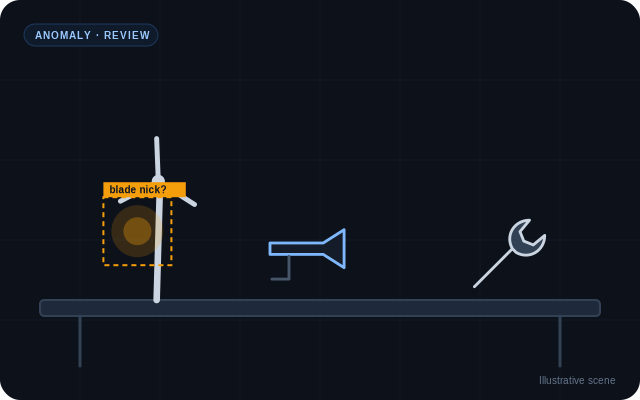
What can be checked
- Nicks dents and tears on blades
- Coating loss and burn marks
- Cracks and deposits
What the team receives
- Frames with highlighted findings
- Findings indexed by stage and blade
What the solution does
Faster review
Points inspectors to frames worth a closer look.
Consistent screening
Applies the same screening to every inspection.
Better records
Keeps images of findings with the engine record.
The operational problem
Borescope inspections generate long videos that inspectors must review carefully, and subtle damage can be missed late in a long shift.
How visual intelligence helps
Models screen borescope footage for visual signs of damage and highlight frames with possible findings, indexed by stage, so inspectors can focus their review.
Example visual workflow
- An inspector records borescope footage of each engine stage.
- Frames are analyzed for possible damage.
- Findings are indexed by stage and blade.
- Inspectors review highlighted frames and decide.
Illustrative workflow — the actual pipeline is designed for each site during the PoC.
Edge deployment considerations
Analysis runs on a workstation in the hangar or plant, so engine footage stays on site under the organization’s quality system.
How the solution is built
AI capabilities
The AI tasks this use case combines.
- Defect Detection
Defect detection locates and classifies specific, known defect types — scratches, cracks, dents, contamination, missing features — in images of products or assets.
- Visual Anomaly Detection
Visual anomaly detection learns what normal looks like and flags images, regions or events that deviate from it.
Visual inputs
Cameras and imaging that typically supply the video.
- Mobile Device Cameras
Smartphones and tablets put capable cameras and processors in the hands of field teams.
- Robotic Vision
Robotic vision places cameras on or around robot arms to guide picking, placement, assembly and inspection.
Deployment options
General approaches to evaluate, not tested hardware. Specific hardware is selected and validated for each project during the PoC.
- Edge AI Hardware Sizing
Sizing Edge AI hardware means matching compute, memory, power and enclosure to the real workload — the number of streams, resolution, frame rate, models and latency targets — under the site's environmental and installation constraints.
- Edge Deployment Architectures
Edge-first means processing video at or near where it is captured.
- Industrial and Ruggedized Edge AI Computers
Industrial Edge AI computers and ruggedized systems house AI-capable processors in enclosures built for factories, vehicles and outdoor sites — wide temperature ranges, vibration, dust and industrial power.
- Standalone Edge AI Devices
Standalone Edge AI devices are compact, self-contained units — AI boxes or smart cameras — that process video locally at a single location.
Practical factors to plan for
Real-world results depend as much on the environment and camera setup as on the model.
Site and setup
- Footage quality. Borescope lighting and probe movement vary widely between inspections.
- Blade indexing. Linking findings to specific blades needs consistent capture procedures.
Human review
Certified inspectors make all serviceability decisions. Analytics only highlight frames for review.
Limitations & scope
- Serviceability limits and decisions remain with certified inspectors and manufacturer manuals.
- Damage hidden from the probe view cannot be assessed.
Proof of Concept
Have a visual AI challenge? Let's prove it.
Share a video of what happens in your environment and describe the outcome you need. We review every request for technical feasibility, then agree the scope of a focused Proof of Concept (PoC) with you.
Example request: “We want to highlight frames with possible leading-edge damage in borescope videos of our compressor stages.”
Every request is reviewed for technical feasibility. PoC scope, timing and terms are agreed individually.
Related topics
How this page connects to industries, use cases, AI tasks, input sources and deployment options.