Use CasePeople in danger zones near tracks
Platform Edge Safety Awareness
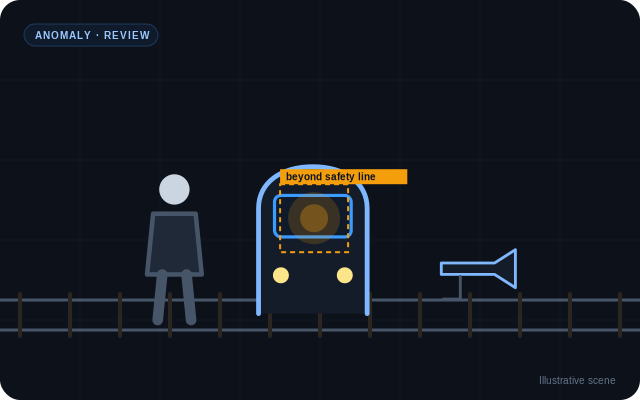
Detect people crossing platform safety lines, entering tracks or standing in danger zones, giving station staff and control rooms earlier awareness.
What can be checked
- People beyond the platform safety line
- People on tracks or in tunnels
- Objects dropped onto tracks
What the team receives
- Real-time alerts to station staff
- Event clips for review
What the solution does
Earlier awareness
Highlights risky situations as they develop.
Uses existing cameras
Can often run on existing platform CCTV views, subject to a review of camera angles and lighting during the PoC.
Event records
Keeps event records that support platform safety analysis.
The operational problem
Track intrusions and people too close to the platform edge are serious risks, and staff cannot watch every camera.
How visual intelligence helps
Analytics watch defined danger zones and alert staff when people enter them, with video for quick verification.
Example visual workflow
- Platform cameras stream to a station Edge server.
- People and zones are analyzed continuously.
- Alerts with snapshots go to staff.
- Events are reviewed and logged.
Illustrative workflow — the actual pipeline is designed for each site during the PoC.
Edge deployment considerations
Processing runs on station servers so alerts do not depend on wide-area links and video stays local.
How the solution is built
AI capabilities
The AI tasks this use case combines.
- Object Detection
Object detection finds and labels the objects in an image or video frame and marks each one with a bounding box.
- Object Tracking and Multi-Object Tracking
Object tracking links detections of the same object across consecutive video frames and assigns each one a persistent ID.
Visual inputs
Cameras and imaging that typically supply the video.
- CCTV and Existing Surveillance Systems
Many sites already run CCTV systems — analog cameras, DVRs, NVRs and video management systems.
- IP and Network Cameras
IP cameras stream digital video over standard networks and are the most common source for Edge AI video analytics.
Deployment options
General approaches to evaluate, not tested hardware. Specific hardware is selected and validated for each project during the PoC.
- Camera and VMS Integration
Most projects start with cameras that are already installed.
- Edge AI Hardware Sizing
Sizing Edge AI hardware means matching compute, memory, power and enclosure to the real workload — the number of streams, resolution, frame rate, models and latency targets — under the site's environmental and installation constraints.
- Edge Deployment Architectures
Edge-first means processing video at or near where it is captured.
Practical factors to plan for
Real-world results depend as much on the environment and camera setup as on the model.
Site and setup
- Crowds. Dense crowds occlude the platform edge.
- Response design. Alerts must fit existing station procedures.
Human review
Staff verify alerts on video before acting. The system does not control trains or signaling.
Limitations & scope
- Alerts are advisory and do not replace certified safety systems.
- Very crowded platforms reduce reliability.
Proof of Concept
Have a visual AI challenge? Let's prove it.
Share a video of what happens in your environment and describe the outcome you need. We review every request for technical feasibility, then agree the scope of a focused Proof of Concept (PoC) with you.
Example request: “We want alerts when someone steps beyond the yellow line on two busy platforms.”
Every request is reviewed for technical feasibility. PoC scope, timing and terms are agreed individually.
Related topics
How this page connects to industries, use cases, AI tasks, input sources and deployment options.