Use CaseOn-screen and on-site visibility of logos
Brand and Logo Exposure Measurement
Detect sponsor logos, boards and brand assets in broadcast, venue or recorded footage and measure how long and how prominently they are visible.
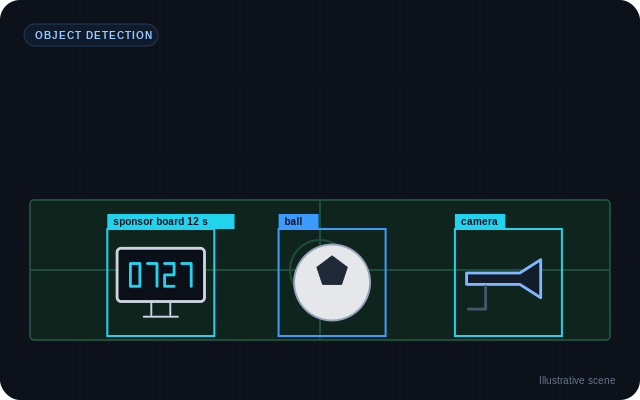
What can be checked
- Logos on boards shirts and signage
- Visible size and position
- Visible duration per appearance
What the team receives
- Exposure time and prominence per brand
- Clips of appearances
What the solution does
Objective measurement
Detects each on-screen appearance of a logo with its duration and size, replacing manual logging of broadcast and stream footage.
Sponsor reporting
Summarizes exposure per brand and event with example clips, giving sponsors evidence they can check against the agreement.
Placement insight
Compares how visible each signage position, kit placement or overlay is, which supports pricing and placement decisions.
The operational problem
Sponsorship value depends on visibility, but manual logging of logo appearances in hours of footage is slow and subjective.
How visual intelligence helps
Detection and tracking find logos in each frame and measure how long and how prominently they appear, producing reports and clips per brand.
Example visual workflow
- Footage is processed live or after the event.
- Logos are detected and tracked.
- Visible time and size are measured.
- Reports and clips are produced.
Illustrative workflow — the actual pipeline is designed for each site during the PoC.
Edge deployment considerations
Processing can run at the venue or production site for near-live figures, or on premises for recorded footage.
How the solution is built
AI capabilities
The AI tasks this use case combines.
- Object Detection
Object detection finds and labels the objects in an image or video frame and marks each one with a bounding box.
- Visual Similarity Search
Visual similarity search turns images or detected objects into numeric embeddings and compares them, so a system can find the closest match in a reference catalog, group similar items, or recognize products and parts that were never part of a fixed class list.
Visual inputs
Cameras and imaging that typically supply the video.
- IP and Network Cameras
IP cameras stream digital video over standard networks and are the most common source for Edge AI video analytics.
- PTZ Cameras
Pan-tilt-zoom cameras can turn and zoom to cover large areas from one position.
Deployment options
General approaches to evaluate, not tested hardware. Specific hardware is selected and validated for each project during the PoC.
- Camera and VMS Integration
Most projects start with cameras that are already installed.
- Edge AI Hardware Sizing
Sizing Edge AI hardware means matching compute, memory, power and enclosure to the real workload — the number of streams, resolution, frame rate, models and latency targets — under the site's environmental and installation constraints.
- Edge Deployment Architectures
Edge-first means processing video at or near where it is captured.
Practical factors to plan for
Real-world results depend as much on the environment and camera setup as on the model.
Site and setup
- Logo variants. Each logo version and color scheme must be included.
- Partial visibility. Rules define when partly hidden logos count.
Human review
Analysts review exposure reports before sharing with sponsors.
Limitations & scope
- Exposure measures visibility, not audience reach or effect.
- Footage rights determine what can be analyzed.
Proof of Concept
Have a visual AI challenge? Let's prove it.
Share a video of what happens in your environment and describe the outcome you need. We review every request for technical feasibility, then agree the scope of a focused Proof of Concept (PoC) with you.
Example request: “We want visible time per sponsor board in recordings of our home matches.”
Every request is reviewed for technical feasibility. PoC scope, timing and terms are agreed individually.
Related topics
How this page connects to industries, use cases, AI tasks, input sources and deployment options.