Use CaseHand gestures for kiosks and machines
Touchless Gesture Control
Recognize hand gestures from a camera so people can operate kiosks, displays or machine interfaces without touching them — useful in hygienic, gloved or hands-busy environments.
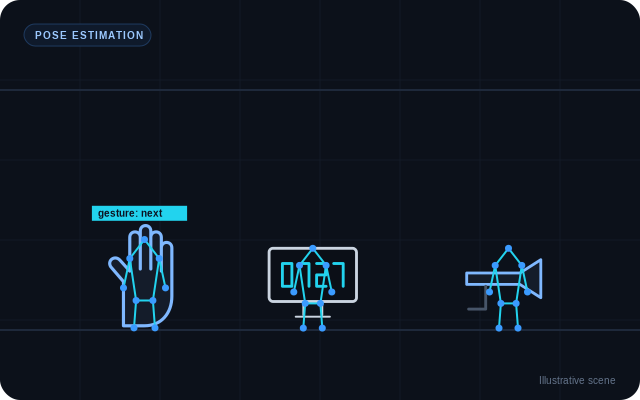
What can be checked
- Hands in the interaction zone
- Hand keypoints and poses
- Defined gestures such as swipe or confirm
What the team receives
- Gesture commands to the interface
- Usage statistics
What the solution does
Hygienic operation
Lets users navigate screens with hand gestures instead of touching shared surfaces, useful in hygienic or clean environments.
Gloved use
Works where touchscreens fail with gloves.
Hands-busy tasks
Lets workers navigate instructions while holding parts.
The operational problem
Shared touchscreens are a hygiene concern, and gloved or busy hands make touch interfaces awkward in labs, kitchens and factories.
How visual intelligence helps
A camera detects hand keypoints in a defined zone and recognizes gestures that are mapped to interface commands.
Example visual workflow
- A camera observes the interaction zone.
- Hands and keypoints are detected.
- Gestures are recognized.
- Commands are sent to the interface.
Illustrative workflow — the actual pipeline is designed for each site during the PoC.
Edge deployment considerations
Recognition runs on a compact device at the kiosk or workstation for immediate response and without sending video elsewhere.
How the solution is built
AI capabilities
The AI tasks this use case combines.
- Action and Activity Recognition
Action recognition identifies short actions — picking, lifting, opening a door — while activity recognition describes longer sequences such as a loading operation or a procedure.
- Pose Estimation
Pose estimation locates keypoints — such as shoulders, elbows, knees or the corners of an object — and connects them into a skeleton or structure.
Visual inputs
Cameras and imaging that typically supply the video.
- Depth, Stereo and 3D Cameras
Depth cameras measure distance to every point in view, using stereo vision, structured light or time-of-flight.
- IP and Network Cameras
IP cameras stream digital video over standard networks and are the most common source for Edge AI video analytics.
Deployment options
General approaches to evaluate, not tested hardware. Specific hardware is selected and validated for each project during the PoC.
- Camera and VMS Integration
Most projects start with cameras that are already installed.
- Edge AI Hardware Sizing
Sizing Edge AI hardware means matching compute, memory, power and enclosure to the real workload — the number of streams, resolution, frame rate, models and latency targets — under the site's environmental and installation constraints.
- Edge Deployment Architectures
Edge-first means processing video at or near where it is captured.
- Industrial and Ruggedized Edge AI Computers
Industrial Edge AI computers and ruggedized systems house AI-capable processors in enclosures built for factories, vehicles and outdoor sites — wide temperature ranges, vibration, dust and industrial power.
Practical factors to plan for
Real-world results depend as much on the environment and camera setup as on the model.
Site and setup
- Interaction zone. Gestures should be recognized only in a defined zone to avoid accidental commands.
- Gloves and lighting. Gloved hands and changing light need testing.
Human review
Gesture control is used for non-safety functions; safety-relevant controls remain physical.
Limitations & scope
- Not suitable for safety-critical machine controls.
- Unusual hand positions can cause missed or false gestures.
Proof of Concept
Have a visual AI challenge? Let's prove it.
Share a video of what happens in your environment and describe the outcome you need. We review every request for technical feasibility, then agree the scope of a focused Proof of Concept (PoC) with you.
Example request: “We want operators to page through work instructions with hand gestures while wearing gloves.”
Every request is reviewed for technical feasibility. PoC scope, timing and terms are agreed individually.
Related topics
How this page connects to industries, use cases, AI tasks, input sources and deployment options.