Use CaseCheck-in and return condition records
Vehicle Damage Inspection
Capture vehicles at check-in or return and highlight visible scratches, dents and panel damage, giving rental, fleet and service teams consistent condition records.
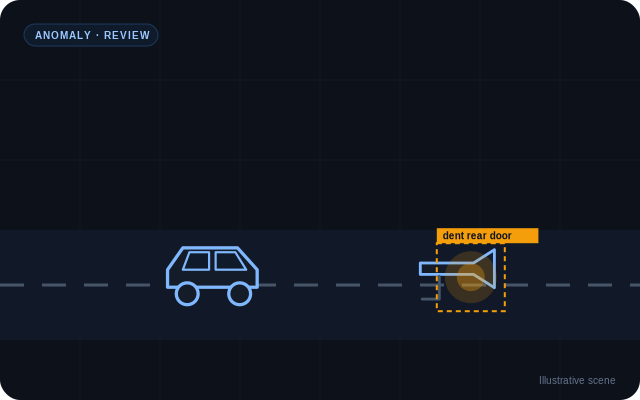
What can be checked
- Scratches and scuffs on panels
- Dents and deformations
- Broken lights mirrors or glass
What the team receives
- Annotated images per vehicle side
- Comparison with the previous condition record
What the solution does
Consistent records
Captures every vehicle with the same camera setup and angles, so condition records are consistent across sites and staff.
Fewer disputes
Provides time-stamped evidence of condition.
Faster handover
Highlights visible damage in captured images, which reduces the time staff spend on manual walk-arounds at handover.
The operational problem
Vehicle condition is often documented by hand at check-in and return. Records are incomplete and disputes about damage are common.
How visual intelligence helps
Cameras capture each vehicle consistently and AI highlights visible damage. Staff compare findings with previous records and confirm them with the driver.
Example visual workflow
- The vehicle drives through a camera arch or is captured by phone.
- Images are analyzed for visible damage.
- Findings are compared with the last recorded condition.
- Staff confirm new damage with the driver.
Illustrative workflow — the actual pipeline is designed for each site during the PoC.
Edge deployment considerations
An Edge computer at the arch processes images on site while the vehicle is still at the arch, and results are linked to the vehicle record.
How the solution is built
AI capabilities
The AI tasks this use case combines.
- Defect Detection
Defect detection locates and classifies specific, known defect types — scratches, cracks, dents, contamination, missing features — in images of products or assets.
- Object Detection
Object detection finds and labels the objects in an image or video frame and marks each one with a bounding box.
Visual inputs
Cameras and imaging that typically supply the video.
- IP and Network Cameras
IP cameras stream digital video over standard networks and are the most common source for Edge AI video analytics.
- Mobile Device Cameras
Smartphones and tablets put capable cameras and processors in the hands of field teams.
Deployment options
General approaches to evaluate, not tested hardware. Specific hardware is selected and validated for each project during the PoC.
- Camera and VMS Integration
Most projects start with cameras that are already installed.
- Edge AI Hardware Sizing
Sizing Edge AI hardware means matching compute, memory, power and enclosure to the real workload — the number of streams, resolution, frame rate, models and latency targets — under the site's environmental and installation constraints.
- Edge Deployment Architectures
Edge-first means processing video at or near where it is captured.
- Standalone Edge AI Devices
Standalone Edge AI devices are compact, self-contained units — AI boxes or smart cameras — that process video locally at a single location.
Practical factors to plan for
Real-world results depend as much on the environment and camera setup as on the model.
Site and setup
- Lighting. Reflections from glossy paint hide dents; arches use controlled lighting.
- Vehicle speed. Vehicles should pass slowly or stop for capture.
Human review
Staff confirm findings with the customer or driver. The system does not assess repair costs or liability.
Limitations & scope
- Small scratches on dirty or wet vehicles may be missed.
- Underbody and interior damage need separate capture.
Proof of Concept
Have a visual AI challenge? Let's prove it.
Share a video of what happens in your environment and describe the outcome you need. We review every request for technical feasibility, then agree the scope of a focused Proof of Concept (PoC) with you.
Example request: “We want to highlight new visible damage on returning rental cars compared with their checkout images.”
Every request is reviewed for technical feasibility. PoC scope, timing and terms are agreed individually.
Related topics
How this page connects to industries, use cases, AI tasks, input sources and deployment options.