Use CaseFill levels for collection planning
Waste Bin and Bunker Fill Monitoring
Estimate the fill level of bins, containers and bunkers from cameras to plan collections and avoid overflow.
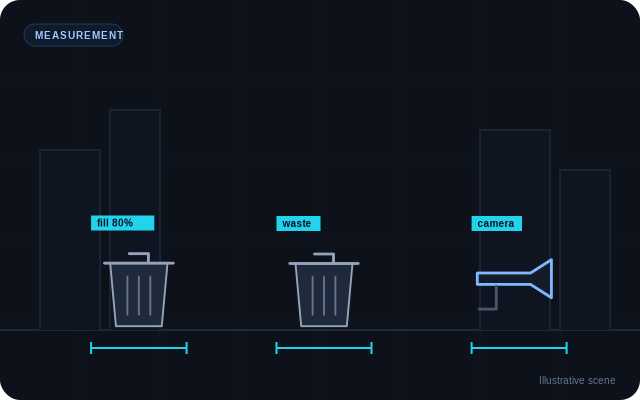
What can be checked
- Fill level of bins and containers
- Overflowing bins
- Waste beside bins
What the team receives
- Fill levels per bin
- Overflow alerts
What the solution does
Efficient routes
Plans collections around actual fill levels instead of fixed schedules.
Fewer overflows
Alerts collection teams before bins and containers overflow, so they can be emptied ahead of the next scheduled round.
Bunker management
Supports waste bunker crane operations with fill-level information.
The operational problem
Collections often follow fixed schedules regardless of fill levels, so some bins overflow while others are emptied half full.
How visual intelligence helps
Cameras estimate the fill level of bins, containers or bunkers at regular intervals. Levels are reported over time so planners can build routes around actual need.
Example visual workflow
- Cameras view bins or bunkers.
- Fill levels are estimated.
- Levels are reported over time.
- Routes are planned.
Illustrative workflow — the actual pipeline is designed for each site during the PoC.
Edge deployment considerations
Low-power Edge devices estimate levels locally and send only numbers, which suits solar-powered or cellular installations.
How the solution is built
AI capabilities
The AI tasks this use case combines.
- Counting and Measurement
Counting and measurement convert detections, tracks and masks into quantities — how many objects, how long they stayed, how big they are, how full an area is.
- Semantic Segmentation
Semantic segmentation assigns a class to every pixel of an image — road, floor, water, smoke, crop, background — producing a map of regions rather than individual objects.
Visual inputs
Cameras and imaging that typically supply the video.
- IP and Network Cameras
IP cameras stream digital video over standard networks and are the most common source for Edge AI video analytics.
Deployment options
General approaches to evaluate, not tested hardware. Specific hardware is selected and validated for each project during the PoC.
- Camera and VMS Integration
Most projects start with cameras that are already installed.
- Edge AI Hardware Sizing
Sizing Edge AI hardware means matching compute, memory, power and enclosure to the real workload — the number of streams, resolution, frame rate, models and latency targets — under the site's environmental and installation constraints.
- Edge Deployment Architectures
Edge-first means processing video at or near where it is captured.
Practical factors to plan for
Real-world results depend as much on the environment and camera setup as on the model.
Site and setup
- View angle. The bin opening must be visible.
- Lighting. Outdoor lighting varies.
Human review
Operations planners decide on routes and collections.
Limitations & scope
- Closed lids hide contents.
- Estimates are approximate.
Proof of Concept
Have a visual AI challenge? Let's prove it.
Share a video of what happens in your environment and describe the outcome you need. We review every request for technical feasibility, then agree the scope of a focused Proof of Concept (PoC) with you.
Example request: “We want fill levels of 30 container stations to plan collection days.”
Every request is reviewed for technical feasibility. PoC scope, timing and terms are agreed individually.
Related topics
How this page connects to industries, use cases, AI tasks, input sources and deployment options.