Use CaseVehicles against traffic flow
Wrong-Way Driving Detection
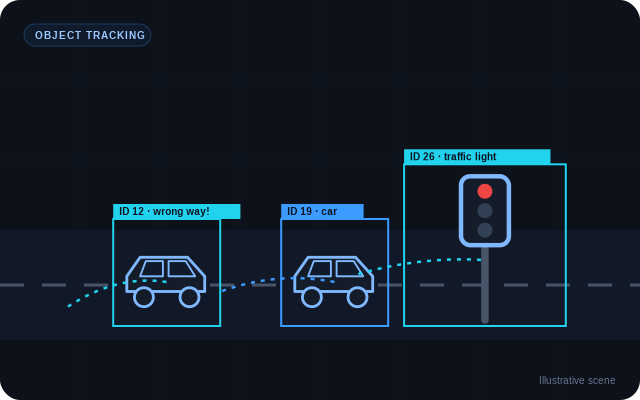
Detect vehicles traveling against the permitted direction on ramps, one-way roads, parking structures and tunnels, giving operators immediate awareness.
What can be checked
- Vehicles moving against the permitted direction
- Vehicles reversing on ramps
- Stopped vehicles in lanes
What the team receives
- Immediate alerts with snapshot
- Event log with timestamps
What the solution does
Fast awareness
Detects vehicles moving against the direction of traffic on ramps and carriageways and alerts operators straight away.
Existing cameras
Often works with installed traffic cameras.
Event records
Keeps event records that support incident analysis and planning.
The operational problem
Wrong-way driving is rare but extremely dangerous, and operators watching many feeds may not notice it in time.
How visual intelligence helps
Vehicles are tracked and their travel direction is compared with permitted directions per lane. Violations trigger immediate alerts with snapshots for verification.
Example visual workflow
- Cameras view ramps or one-way sections.
- Vehicles are tracked and their direction estimated.
- Movement against the permitted direction triggers an alert.
- Operators verify and act.
Illustrative workflow — the actual pipeline is designed for each site during the PoC.
Edge deployment considerations
Roadside or tunnel Edge devices process video to keep latency low and send only events to the traffic control center.
How the solution is built
AI capabilities
The AI tasks this use case combines.
- Object Detection
Object detection finds and labels the objects in an image or video frame and marks each one with a bounding box.
- Object Tracking and Multi-Object Tracking
Object tracking links detections of the same object across consecutive video frames and assigns each one a persistent ID.
Visual inputs
Cameras and imaging that typically supply the video.
- CCTV and Existing Surveillance Systems
Many sites already run CCTV systems — analog cameras, DVRs, NVRs and video management systems.
- IP and Network Cameras
IP cameras stream digital video over standard networks and are the most common source for Edge AI video analytics.
Deployment options
General approaches to evaluate, not tested hardware. Specific hardware is selected and validated for each project during the PoC.
- Camera and VMS Integration
Most projects start with cameras that are already installed.
- Edge AI Hardware Sizing
Sizing Edge AI hardware means matching compute, memory, power and enclosure to the real workload — the number of streams, resolution, frame rate, models and latency targets — under the site's environmental and installation constraints.
- Edge Deployment Architectures
Edge-first means processing video at or near where it is captured.
Practical factors to plan for
Real-world results depend as much on the environment and camera setup as on the model.
Site and setup
- Direction rules. Permitted directions must be configured per lane and camera.
- Latency. Alerts must reach operators within seconds.
Human review
Traffic operators verify alerts on video and decide on warnings or closures.
Limitations & scope
- Alerts are advisory and do not control signs automatically unless integrated and approved.
- Heavy congestion and weather affect tracking.
Proof of Concept
Have a visual AI challenge? Let's prove it.
Share a video of what happens in your environment and describe the outcome you need. We review every request for technical feasibility, then agree the scope of a focused Proof of Concept (PoC) with you.
Example request: “We want alerts when vehicles enter our motorway exit ramps in the wrong direction.”
Every request is reviewed for technical feasibility. PoC scope, timing and terms are agreed individually.
Related topics
How this page connects to industries, use cases, AI tasks, input sources and deployment options.