Use CaseLights out from vehicle cameras
Streetlight Outage Detection
Detect streetlights that are out or flickering from cameras on vehicles driving at night, supporting maintenance planning.
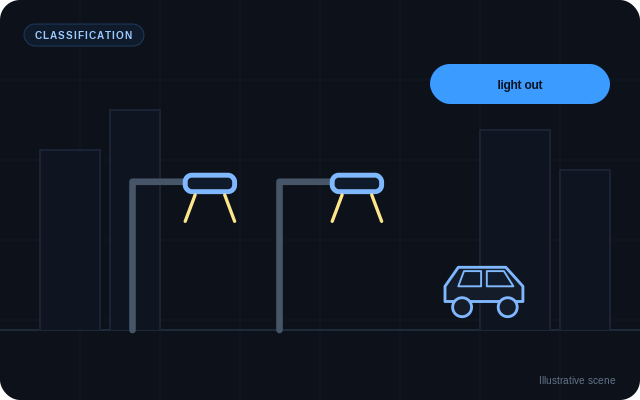
What can be checked
- Lights off
- Flickering lights
- Damaged poles
What the team receives
- Outage lists with location
- Maps
What the solution does
Faster detection
Finds outages within days instead of waiting for reports.
Asset matching
Links each outage to the streetlight asset ID.
Low effort
Uses vehicles that already drive the network.
The operational problem
Streetlight outages are often discovered only when residents report them, and night patrols are costly.
How visual intelligence helps
Cameras on vehicles driving at night detect lights that are off or flickering and match them to asset IDs using GPS.
Example visual workflow
- Vehicle cameras record at night.
- Lights are detected and classified.
- Outages are matched to assets.
- Lists go to maintenance.
Illustrative workflow — the actual pipeline is designed for each site during the PoC.
Edge deployment considerations
Onboard devices process video and upload outage findings to the asset management system.
How the solution is built
AI capabilities
The AI tasks this use case combines.
- Image and Object Classification
Classification assigns a label to a whole image or to an individual object crop — good or defective, running or stopped, product variant A or B.
- Object Detection
Object detection finds and labels the objects in an image or video frame and marks each one with a bounding box.
Visual inputs
Cameras and imaging that typically supply the video.
- Vehicle-Mounted Cameras
Cameras on trucks, rail vehicles, forklifts, buses and service vehicles capture visual data while moving — for road and rail inspection, operational safety and fleet operations.
Deployment options
General approaches to evaluate, not tested hardware. Specific hardware is selected and validated for each project during the PoC.
- Edge AI Hardware Sizing
Sizing Edge AI hardware means matching compute, memory, power and enclosure to the real workload — the number of streams, resolution, frame rate, models and latency targets — under the site's environmental and installation constraints.
- Edge Deployment Architectures
Edge-first means processing video at or near where it is captured.
- Standalone Edge AI Devices
Standalone Edge AI devices are compact, self-contained units — AI boxes or smart cameras — that process video locally at a single location.
Practical factors to plan for
Real-world results depend as much on the environment and camera setup as on the model.
Site and setup
- Asset matching. Lights must be matched to asset IDs.
- Night capture. Requires night drives.
Human review
Maintenance teams verify reported outages on site before scheduling repairs.
Limitations & scope
- Requires night capture.
- Smart lighting systems may already report outages.
Proof of Concept
Have a visual AI challenge? Let's prove it.
Share a video of what happens in your environment and describe the outcome you need. We review every request for technical feasibility, then agree the scope of a focused Proof of Concept (PoC) with you.
Example request: “We want weekly outage lists from cameras on night-shift vehicles.”
Every request is reviewed for technical feasibility. PoC scope, timing and terms are agreed individually.
Related topics
How this page connects to industries, use cases, AI tasks, input sources and deployment options.