Use CaseIndoor zones and controlled spaces
Restricted Area Monitoring
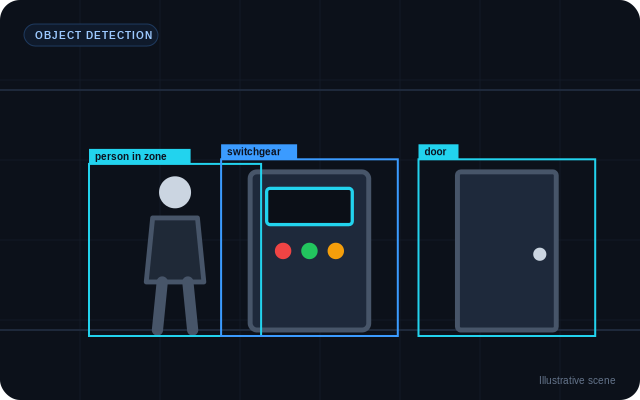
Detect people or vehicles entering restricted indoor zones — hazardous areas, server rooms, cleanrooms, storage or plant rooms — and route events to the responsible team, with processing at the edge.
What can be checked
- People entering a defined zone
- Vehicles or equipment entering pedestrian-only or restricted areas
- Entry outside permitted times
- Dwell longer than allowed in a zone
What the team receives
- Entry events with time, zone and snapshot
- Time-based reports of zone usage
- Notifications to the responsible team
What the solution does
Watches defined zones
Applies consistent rules to specific areas instead of relying on someone watching screens.
Time-aware rules
Distinguishes expected entries during shifts from entries outside permitted times.
Local and fast
Processes video on site so events are raised quickly on the local network.
The problem
Facilities contain spaces that should only be entered at certain times or by certain people. Access control covers doors, but not open areas, and recorded video is usually reviewed only after an incident.
How visual intelligence helps
People and vehicles are detected and tracked; zone and time rules turn their presence into events. Integration with access-control systems can distinguish expected from unexpected entries.
Deployment considerations
Edge-only processing keeps footage on site and events local; summaries can be shared centrally.
How the solution is built
AI capabilities
The AI tasks this use case combines.
- Object Detection
Object detection finds and labels the objects in an image or video frame and marks each one with a bounding box.
- Object Tracking and Multi-Object Tracking
Object tracking links detections of the same object across consecutive video frames and assigns each one a persistent ID.
Visual inputs
Cameras and imaging that typically supply the video.
- CCTV and Existing Surveillance Systems
Many sites already run CCTV systems — analog cameras, DVRs, NVRs and video management systems.
- IP and Network Cameras
IP cameras stream digital video over standard networks and are the most common source for Edge AI video analytics.
Deployment options
General approaches to evaluate, not tested hardware. Specific hardware is selected and validated for each project during the PoC.
- Camera and VMS Integration
Most projects start with cameras that are already installed.
- Edge AI Hardware Sizing
Sizing Edge AI hardware means matching compute, memory, power and enclosure to the real workload — the number of streams, resolution, frame rate, models and latency targets — under the site's environmental and installation constraints.
- Edge Deployment Architectures
Edge-first means processing video at or near where it is captured.
Practical factors to plan for
Real-world results depend as much on the environment and camera setup as on the model.
Site and setup
- Zone geometry. Zone boundaries are drawn per camera; ground-plane perspective matters when deciding if a person is inside a zone.
- Authorized access. Video alone does not know who is authorized. Rules typically combine zones with time windows or integrate with access-control events.
- False triggers. Shadows, reflections and partial views near the boundary can cause false events; thresholds and dwell times reduce them.
Human review
Events are reviewed by the responsible team before any response. The system does not identify individuals and does not decide whether access was authorized.
Limitations & scope
- Video detects presence, not authorization; integration with access control is needed to distinguish authorized entries.
- Monitoring does not physically prevent entry and does not replace locks, barriers or safety systems.
- Workplace monitoring must comply with employment and privacy rules.
Proof of Concept
Have a visual AI challenge? Let's prove it.
Share a video of what happens in your environment and describe the outcome you need. We review every request for technical feasibility, then agree the scope of a focused Proof of Concept (PoC) with you.
Example request: “We want an event whenever someone enters the battery charging room outside maintenance hours.”
Every request is reviewed for technical feasibility. PoC scope, timing and terms are agreed individually.
Frequently asked questions
How is this different from perimeter monitoring?
Restricted area monitoring covers zones inside a facility. Perimeter monitoring covers outdoor site boundaries, fences and approaches, which bring different imaging challenges.
Can it tell whether a person is allowed in?
Not by itself. It can be combined with access-control events or time windows; identifying individuals is not part of this use case.
Related topics
How this page connects to industries, use cases, AI tasks, input sources and deployment options.
Industries
- Edge AI Video Intelligence for Airports
- Edge AI Video Intelligence for Automotive
- Edge AI Video Intelligence for Construction
- Edge AI Video Intelligence for Education Campuses
- Edge AI Video Intelligence for Energy
- Edge AI Video Intelligence for Healthcare Facilities
- Edge AI Video Intelligence for Manufacturing
- Edge AI Video Intelligence for Pharmaceuticals
- Edge AI Video Intelligence for Utilities
- Edge AI Video Intelligence for Warehousing