Use CaseWhere are things, and where did they go?
Asset Tracking and Monitoring
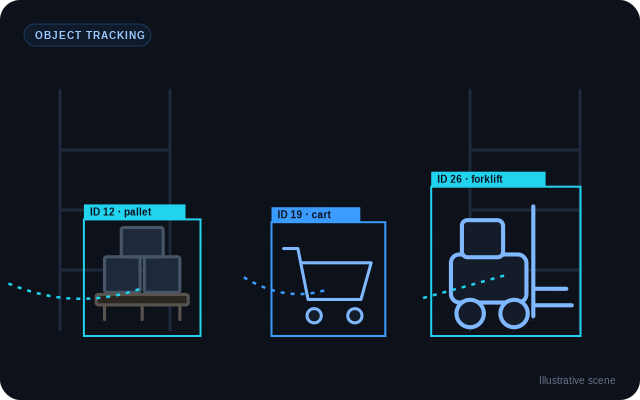
Follow the movement and location of visible assets — pallets, carts, containers, tools or mobile equipment — through zones and handover points using cameras and Edge AI, complementing tags and manual scans.
What can be checked
- Asset presence in defined zones or bays
- Movement of assets between zones and through handover points
- Dwell time of assets in staging, quarantine or loading areas
- Visible identifiers such as labels or numbers, where legible
What the team receives
- Zone entry and exit events per asset class
- Dwell-time and utilization statistics
- Alerts for assets left too long or in the wrong place
What the solution does
Makes movement visible
Shows where assets are moving and where they accumulate, without manual scans at every step.
Flags exceptions
Highlights assets left in staging or wrong zones for longer than expected.
Works with existing cameras
Uses fixed or mobile cameras covering zones and handover points.
The problem
Assets go missing, sit idle or end up in the wrong place. Tags and scans help but rely on people scanning at the right moment. Cameras already covering a facility can show where assets actually are.
How visual intelligence helps
Detection finds assets of a given class, tracking links them over time, and zone rules turn movement into events and dwell times. Where identifiers are visible, OCR adds identity.
Deployment considerations
Edge processing on site keeps events timely. Results can be pushed to warehouse or asset systems as events or periodic summaries.
How the solution is built
AI capabilities
The AI tasks this use case combines.
- Object Detection
Object detection finds and labels the objects in an image or video frame and marks each one with a bounding box.
- Object Tracking and Multi-Object Tracking
Object tracking links detections of the same object across consecutive video frames and assigns each one a persistent ID.
- OCR and Text Recognition
Optical character recognition (OCR) reads text visible in images — labels, codes, container numbers, displays and gauges.
Visual inputs
Cameras and imaging that typically supply the video.
- IP and Network Cameras
IP cameras stream digital video over standard networks and are the most common source for Edge AI video analytics.
- Mobile Robots and AMRs
Mobile robots — autonomous mobile robots (AMRs), quadrupeds and inspection robots — carry cameras through facilities and sites on repeatable routes.
- Vehicle-Mounted Cameras
Cameras on trucks, rail vehicles, forklifts, buses and service vehicles capture visual data while moving — for road and rail inspection, operational safety and fleet operations.
Deployment options
General approaches to evaluate, not tested hardware. Specific hardware is selected and validated for each project during the PoC.
- Camera and VMS Integration
Most projects start with cameras that are already installed.
- Edge AI Hardware Sizing
Sizing Edge AI hardware means matching compute, memory, power and enclosure to the real workload — the number of streams, resolution, frame rate, models and latency targets — under the site's environmental and installation constraints.
- Edge Deployment Architectures
Edge-first means processing video at or near where it is captured.
- Standalone Edge AI Devices
Standalone Edge AI devices are compact, self-contained units — AI boxes or smart cameras — that process video locally at a single location.
Practical factors to plan for
Real-world results depend as much on the environment and camera setup as on the model.
Site and setup
- Identity across cameras. Following a specific asset across multiple cameras is difficult unless it carries a visible identifier; zone-level tracking is often enough.
- Occlusion. Assets hidden behind racking or other assets are temporarily lost; camera placement is planned around key handover points.
- Combination with tags. Vision can complement RFID or barcode systems by confirming physical presence and location.
Human review
Location and dwell events are reviewed by operations staff. Asset records in business systems remain the system of record.
Limitations & scope
- Visually identical assets cannot be told apart without visible identifiers.
- Continuous tracking across a whole facility needs extensive camera coverage; zone-based tracking is more practical.
- Video-derived locations complement, and do not replace, inventory or asset management records.
Proof of Concept
Have a visual AI challenge? Let's prove it.
Share a video of what happens in your environment and describe the outcome you need. We review every request for technical feasibility, then agree the scope of a focused Proof of Concept (PoC) with you.
Example request: “We want to know how long pallets sit in the outbound staging area before loading.”
Every request is reviewed for technical feasibility. PoC scope, timing and terms are agreed individually.
Frequently asked questions
Can video track individual pallets across the whole warehouse?
Only where each pallet has a visible, legible identifier and the cameras cover the route. In most cases zone-level tracking at key points provides the practical value.
Is this different from object tracking?
Object tracking is the AI capability that links detections over time. Asset tracking is the use case that applies it to business questions about location and movement.
Related topics
How this page connects to industries, use cases, AI tasks, input sources and deployment options.