Use CasePeople, machines and vehicles
Workplace Safety Monitoring
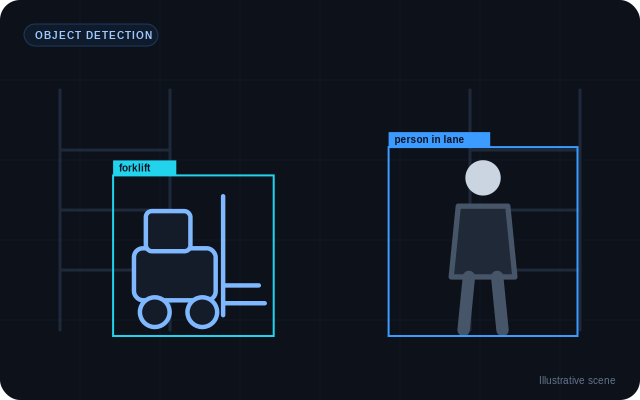
Detect unsafe situations involving people, machinery and vehicles — such as people too close to moving equipment or in vehicle lanes — and route them to supervisors as events for review, with video processed at the edge.
What can be checked
- People inside the working area of machinery, robots or cranes
- People in vehicle or forklift lanes, or close to moving vehicles
- Unsafe postures or falls, where pose estimation is suitable
- Blocked walkways, emergency exits or safety equipment
What the team receives
- Events with time, camera, zone and snapshot for review
- Near-miss statistics by area and shift
- Notifications to supervisors through agreed channels
What the solution does
Highlights near-misses
Turns interactions that are rarely reported into reviewable events and trend data for safety teams.
Zone-aware rules
Applies different rules to different areas, such as robot cells, loading bays and pedestrian walkways.
Runs on site
Processes video on Edge hardware so alerts are local and footage does not need to leave the facility.
The problem
Most workplace incidents are preceded by near-misses that are never reported. Supervisors cannot watch every crossing, robot cell and loading bay. Video analytics can surface these situations consistently, giving safety teams evidence to improve layouts, training and procedures.
How visual intelligence helps
Object detection finds people and vehicles; object tracking follows them through the scene; zone rules decide when an interaction counts as an event. Where relevant, pose estimation adds information about posture or falls. The result is a stream of reviewable events and trends rather than raw footage.
Deployment considerations
Safety monitoring generally suits Edge-only processing: alerts are local and video stays on site. Aggregated statistics can be shared with a central dashboard if multiple sites are involved.
How the solution is built
AI capabilities
The AI tasks this use case combines.
- Object Detection
Object detection finds and labels the objects in an image or video frame and marks each one with a bounding box.
- Object Tracking and Multi-Object Tracking
Object tracking links detections of the same object across consecutive video frames and assigns each one a persistent ID.
- Pose Estimation
Pose estimation locates keypoints — such as shoulders, elbows, knees or the corners of an object — and connects them into a skeleton or structure.
Visual inputs
Cameras and imaging that typically supply the video.
- CCTV and Existing Surveillance Systems
Many sites already run CCTV systems — analog cameras, DVRs, NVRs and video management systems.
- IP and Network Cameras
IP cameras stream digital video over standard networks and are the most common source for Edge AI video analytics.
Deployment options
General approaches to evaluate, not tested hardware. Specific hardware is selected and validated for each project during the PoC.
- Camera and VMS Integration
Most projects start with cameras that are already installed.
- Edge AI Hardware Sizing
Sizing Edge AI hardware means matching compute, memory, power and enclosure to the real workload — the number of streams, resolution, frame rate, models and latency targets — under the site's environmental and installation constraints.
- Edge Deployment Architectures
Edge-first means processing video at or near where it is captured.
Practical factors to plan for
Real-world results depend as much on the environment and camera setup as on the model.
Site and setup
- Zone definition. Hazard zones are drawn per camera and must be updated when layouts or equipment change.
- Camera coverage and angle. Overlapping people and vehicles are easier to separate from higher, angled views than from low, horizontal ones.
- Event thresholds. Distance and dwell-time thresholds balance useful alerts against nuisance alarms and are tuned with the safety team.
- Lighting and motion. Fast-moving vehicles, low light and glare reduce reliability and must be represented in evaluation footage.
Human review
Events are reviewed by supervisors before any action. Video awareness supports, and never replaces, physical guarding, interlocks, certified safety systems or safe working procedures.
Limitations & scope
- Video-based safety monitoring is an awareness tool; it is not a certified safety function and must not control machinery on its own.
- Occlusion by equipment and other people means some situations will be missed; coverage is assessed per area.
- Workplace video use must follow employment law, works-council requirements where applicable, and your privacy policy.
Proof of Concept
Have a visual AI challenge? Let's prove it.
Share a video of what happens in your environment and describe the outcome you need. We review every request for technical feasibility, then agree the scope of a focused Proof of Concept (PoC) with you.
Example request: “We want to see how often people walk through the forklift crossing while a forklift is approaching.”
Every request is reviewed for technical feasibility. PoC scope, timing and terms are agreed individually.
Frequently asked questions
Can this stop a machine when a person is detected?
The solutions described here provide awareness and events. Machine stops must be implemented with certified safety systems; video analytics can complement them but should not replace them.
Is pose estimation needed for safety monitoring?
Not always. Many rules only need people and vehicle detection plus zones. Pose estimation is added for questions such as falls or unsafe postures.
Related topics
How this page connects to industries, use cases, AI tasks, input sources and deployment options.